A website that doesn't appear in Google isn't just a wasted investment — it's an active liability. Your competitors who do appear are capturing the customers you should be getting. The good news: invisibility on Google is almost always caused by one of a small set of identifiable, fixable problems. This guide walks through each one with a specific diagnosis and a specific fix.
We'll cover both why your website doesn't show up in organic search results AND why your business might not appear in Google Maps / the Map Pack — because these are two separate visibility systems that require separate solutions.
How to Diagnose Your Specific Problem (2-Minute Test)
Before diving into the 7 problems, run this quick diagnostic to identify which one applies to your site:
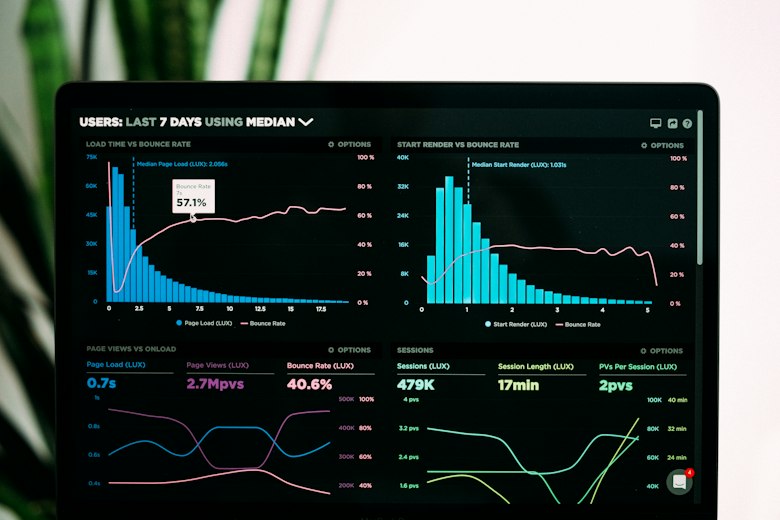
Google Search Console is your free window into exactly how Google sees your website — and the fastest way to identify why you're not ranking.
- Step 1 — Check if Google knows your site exists: Go to Google and search
site:yourdomain.com(replace with your actual domain). If results appear, Google has indexed your site. If no results appear, your site isn't indexed — this is Problem 1 or 2 - Step 2 — Check if your business appears in Maps: Search "[your service] Virginia Beach" on Google. If competitors appear in the Map Pack and you don't, this is Problem 5 or 6
- Step 3 — Check your page speed: Visit pagespeed.web.dev and enter your URL. If your mobile score is below 50, speed is likely suppressing your rankings — Problem 4
- Step 4 — Check Google Search Console: If you haven't already, verify your site at search.google.com/search-console. The Coverage report shows any indexing errors. The Performance report shows what keywords (if any) are driving impressions
Google Hasn't Indexed Your Site Yet
A brand new website can take anywhere from a few days to 6+ months for Google to fully discover and index. This is completely normal — but you can dramatically accelerate it.
Google discovers websites by following links from pages it already knows about. A new site with no external links pointing to it, no sitemap submitted, and no Search Console verification can sit unindexed for months while Google's crawlers eventually stumble across it.
1. Set up Google Search Console and verify your domain. 2. Create an XML sitemap (WordPress plugins like Yoast or Rank Math do this automatically) and submit it at Search Console → Sitemaps. 3. Manually request indexing for your most important pages at Search Console → URL Inspection → Request Indexing. 4. List your business on Google Business Profile — this creates a direct connection that signals your site's existence to Google. 5. Get listed on 3–5 major directories (Yelp, BBB, Angi) with links back to your site. These external links tell Google your site is legitimate and worth crawling.
Search Engines Are Blocked From Crawling Your Site
This is surprisingly common and often invisible to the business owner. There are two main ways a site accidentally blocks Google:
The WordPress "Discourage search engines" setting: WordPress has a checkbox under Settings → Reading that says "Discourage search engines from indexing this site." This is meant to be enabled during development and disabled before launch — but it's often forgotten. If this box is checked, Google will not index your site regardless of everything else you do.
A noindex tag on your pages: Individual pages or your entire site can be set to noindex via your SEO plugin settings, your theme, or a developer who forgot to remove it after testing. This invisibly tells Google to ignore your content.
In WordPress: go to Settings → Reading and verify "Discourage search engines" is unchecked. Then in your SEO plugin (Yoast or Rank Math): verify that no pages are set to noindex. In Google Search Console, check the Coverage report for pages flagged as "Excluded by noindex tag" or "Blocked by robots.txt." If you see your important pages listed there, this is your problem — and it's a 2-minute fix once identified.
Your Content Doesn't Match What People Search For
This is the most common reason a perfectly indexed, technically sound Hampton Roads website doesn't generate traffic. A page that says "Welcome to our company. We provide quality services to our valued customers in the region" gives Google almost nothing to work with. It doesn't know what you do, where you do it, or who you serve.
As iMark Infotech's 2026 SEO guide confirms, a homepage with just your business name and a phone number won't rank. Aim for at least 300–500 words on important pages. Explain what you do, who you help, where you serve, and why you're different. Be specific and helpful. The goal is to answer the questions your potential customers are already searching for.
Rewrite your homepage and service pages with these elements: (1) Your primary keyword in the H1 heading — "Web Design Services for Virginia Beach Small Businesses," not "Welcome." (2) Your city and service area mentioned naturally throughout the page text. (3) A clear description of who you serve and what problem you solve. (4) At least 300 words of original, useful content per page. (5) Unique page titles and meta descriptions for every page that include your primary keyword and city. Your local SEO guide covers the full keyword strategy for Hampton Roads businesses.
Your Website Is Too Slow
Page speed is a confirmed Google ranking factor. Hampton Roads local SEO specialists confirm that a website taking 5+ seconds to load on mobile will be penalized in rankings — regardless of how good the content is. Google's logic is simple: if your page frustrates users into leaving, Google assumes it's not the best result to show.
The two most common causes on Hampton Roads business websites: unoptimized images (photos uploaded directly from a phone at 5MB+ each) and cheap shared hosting that can't serve pages quickly.
Immediate: Run your site through pagespeed.web.dev on mobile. If your score is below 50, look at the "Opportunities" section — these are the specific issues dragging you down, in order of impact. Most impactful fixes: Install ShortPixel or Imagify to auto-compress and convert images to WebP. Install WP Rocket for caching. Switch from shared hosting to VPS hosting. BuildPRO's managed VPS hosting plans include performance optimization as part of the monthly service.
You Have No Local SEO Foundation
A website that says "we serve Virginia Beach" once in the footer is not locally optimized. A website with no service area pages, no local keyword targeting, and no NAP consistency across directories is missing the signals Google needs to connect your business to local searches.
Local SEO for Hampton Roads requires three things working together: (1) your website content using the right local keywords, (2) your Google Business Profile fully optimized and linked to your website, and (3) consistent Name, Address, Phone (NAP) across all the directories where your business is listed. When all three align, Google gains confidence that your business is legitimate, locally relevant, and worth showing to searchers in your area.
Start with these three actions: (1) Create a dedicated page for your most important service + city combination ("Web Design Virginia Beach" or "Roofing Contractor Chesapeake VA"). Include 400+ words of original content, your phone number, and a contact form. (2) Audit your NAP across Google, Yelp, BBB, and Angi — fix any inconsistencies. (3) Fully complete your Google Business Profile (covered in our GBP optimization guide). These three actions, done properly, are the foundation of Hampton Roads local SEO.
Your Google Business Profile Is Missing or Incomplete
If your business doesn't appear in Google Maps when someone searches for your service in Virginia Beach or Hampton Roads, your Google Business Profile is either unclaimed, unverified, or critically incomplete. This is a separate visibility system from organic website rankings — and for local searches, it's often more important.
An unclaimed or incomplete GBP means you're not in the Map Pack. That means you're invisible to the 76% of mobile local searchers who visit a business within 24 hours of their search. This is not a website problem — it's a GBP problem, and it requires a GBP solution.
Go to business.google.com and claim your profile if you haven't already. Complete the full verification process (typically via a postcard mailed to your business address or video verification in 2026). Then follow the complete optimization checklist in our Google Business Profile guide for Hampton Roads — covering categories, photos, description, reviews, posts, and Q&A. A fully optimized GBP can generate new calls within 30–60 days.
Your Competition Has More Authority Than You
Sometimes everything on your site is technically correct — it's indexed, it's fast, the content is relevant, and your GBP is optimized — but you still don't rank page one because your competitors have accumulated more authority over a longer period. Authority comes primarily from backlinks (other websites linking to yours), review quantity and quality, and the age and consistency of your digital presence.
This is the longest-term problem to solve, but it's also the most predictable. As B2The7's local SEO research confirms, most small businesses see meaningful results from local SEO within 3–6 months of consistent work. The key word is consistent.
Build authority systematically: (1) Get listed on every relevant Hampton Roads directory and industry platform — each listing is a citation that reinforces your legitimacy. (2) Generate 2–3 new Google reviews per month consistently — review volume and recency directly correlate with local authority. (3) Publish locally relevant blog content monthly — posts targeting long-tail Hampton Roads keywords gradually build topical authority over time. (4) Earn backlinks from local organizations: Hampton Roads Chamber of Commerce, local news sites, trade associations. Quality local links are more valuable than generic directory links. This is a 6–12 month process — but it compounds. Businesses that start now will be the ones dominating Hampton Roads search results next year.
Frequently Asked Questions
How long does it take for a new Hampton Roads website to show up on Google?
With proper setup (Search Console verified, sitemap submitted, GBP linked), most new Virginia Beach business websites start appearing in Google for their brand name within 1–2 weeks. Appearing for competitive local keywords like "web designer Virginia Beach" or "HVAC Hampton Roads" takes 3–6 months of consistent SEO work. Long-tail low-competition keywords can rank within weeks of publishing. The timeline varies based on how competitive your category is and how consistently you build authority.
My site shows up when I search my business name but not for my services — why?
This is the most common situation for Hampton Roads businesses. Appearing for your brand name means Google has indexed your site. Not appearing for service keywords (like "roofing contractor Virginia Beach") means you lack sufficient content relevance and/or domain authority to outrank competitors for those terms. The fix is creating dedicated service pages with targeted local keyword content, building local citations, generating reviews, and consistently publishing locally relevant content over 3–6 months.
I'm in the Map Pack but my website doesn't rank — is that normal?
Yes — Map Pack rankings (GBP) and organic website rankings are two separate systems, and it's common to rank in one without the other. Your GBP ranking is primarily determined by your Google Business Profile optimization, reviews, and proximity. Your website's organic rankings depend on content quality, technical SEO, and domain authority. You can have a strong GBP with a weak website, or vice versa. The goal is to optimize both — businesses that appear in both the Map Pack and the organic results command dramatically more clicks and calls.
Should I hire someone to fix my Google rankings in Virginia Beach?
For problems 1 and 2 (indexing and crawl blocking), fixing it yourself with this guide is straightforward and takes less than an hour. For problems 3–5 (content, speed, local SEO foundation), a professional web designer can address all three simultaneously during a redesign or SEO audit. For problem 7 (authority building), ongoing professional SEO management produces the fastest and most sustainable results. BuildPRO Business Services™ offers free site audits to identify exactly which problems apply to your site before recommending any paid work.
What's the fastest way to get my Hampton Roads business found on Google?
The fastest path to Google visibility for a local Hampton Roads business is: (1) Fully optimize your Google Business Profile today — this can produce new calls within 30 days at zero cost. (2) Submit your sitemap to Google Search Console and request indexing for your key pages. (3) Create one well-optimized service area page ("Your Service + Virginia Beach") with 400+ words of original content. These three actions, done in a single afternoon, will produce more Google visibility improvement than most Hampton Roads businesses have achieved in years of passive website ownership.
Keep Reading: More From BuildPRO Business Services™
- Virginia Beach Local SEO Guide for Small Businesses
- Google Business Profile Optimization for Hampton Roads Businesses
- How Virginia Beach Contractors Can Get More Leads From Their Website
- How Much Does a Website Cost in Virginia Beach?
- Website Hosting & Maintenance Plans for Hampton Roads
Sources: iMark Infotech — Website Not Showing on Google 2026 · IT Solutions Partners — Hampton Roads Local SEO · B2The7 — Local SEO Playbook 2026 · Shopify — Website Not Showing on Google 2026 · Crafty Copy — Website Not Ranking Fix Guide